




The article was adapted from the blog of Tamás Bódis, Nitrowise Head of AI and BigData.
The Speed Problem I Created
Remember when we thought AI would solve all our coding problems? We’d generate features at lightning speed, ship faster, and finally have time for that refactoring we’ve been postponing since 2019. Reality had other plans.
In my previous article, I laid out the uncomfortable truth: 48% of AI-generated code contains exploitable vulnerabilities, experienced developers actually slowed down 19% on real codebases despite predicting they’d speed up, and we’re accumulating technical debt at unprecedented rates. We move fast, but we’re also breaking things – just in more subtle, insidious ways.
The productivity gains are real. The problems they create are also real. And here’s the thing: yelling “be more careful!” at developers doesn’t scale. Manual reviews can’t keep up when PRs arrive 4x faster than they used to. I needed something systematic.
So I built it. Well, more accurately, I assembled it from pieces that already existed, added some AI glue, and automated the whole thing into a quality gateway that gives developers immediate, actionable feedback. This isn’t revolutionary – it’s practical. And sometimes, practical is exactly what you need.
The Many Places I Could Intervene
When you’re trying to prevent problematic code from reaching production, you have options. Lots of them.
On the developer’s side, you can provide better prompts, implement strict coding guidelines, train teams on AI tool usage, or deploy sophisticated multi-agent systems where AI agents review each other’s work before showing results to humans. These approaches work, but they’re voluntary. They rely on developers having the time, knowledge, and discipline to use them correctly – every single time.
In the IDE, you can add real-time linting, security scanners, and AI assistants that whisper suggestions as you type. Great for catching obvious issues, but limited in scope. They can’t see the big picture, understand your architecture, or enforce company-wide policies.
At the Pull Request level – now this is interesting. Every piece of code that makes it to production goes through a PR (or should). It’s the perfect chokepoint. It’s where code transitions from “my laptop” to “our codebase.” And most importantly, it’s where we already do reviews, just slowly and inconsistently.
This is where automated QA gateways shine.
QA Gateways: Not New, But Newly Relevant
Let’s be clear: QA gateways aren’t some novel invention. Enterprise teams have been using SonarQube, Codacy, and similar platforms for years. They’re the gatekeepers that say “no, you can’t merge that mess” when your code complexity exceeds thresholds or your test coverage drops below 80%.
What’s changed is the speed and volume of code we’re producing, and the nature of issues we need to catch. Traditional static analysis tools are excellent at finding syntax errors, code smells, and known vulnerability patterns. But they struggle with semantic correctness – code that compiles perfectly, passes all type checks, and still does exactly the wrong thing.
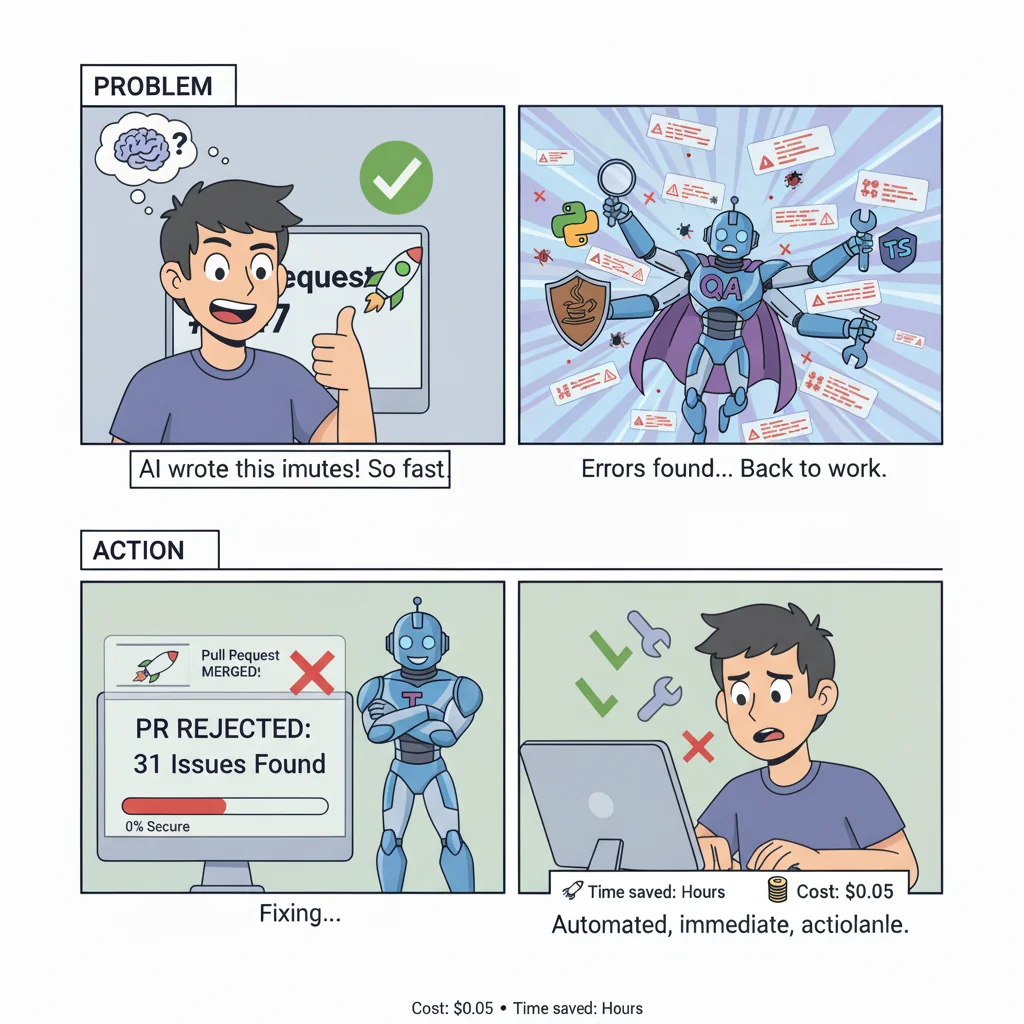
AI-generated code has a special talent for this kind of almost-rightness. The function handles the happy path beautifully but forgets edge cases. The validation exists but covers only one of three input sources. The error handling looks good until you realize it swallows critical exceptions.
This is where I extended the traditional QA gateway pattern. I kept all the proven classical tools – Ruff, ESLint, SpotBugs, the whole gang – and added AI-driven semantic analysis on top. Not as a replacement, but as a complementary layer that catches different classes of problems.
The beauty of the gateway pattern is its flexibility. You can connect almost any type of validation you want. Need to check API contract compatibility? Add a validator. Want to enforce architectural boundaries? Plug in ArchUnit. Need to verify compliance with GDPR requirements? Build a custom rule. The gateway doesn’t care – it orchestrates, aggregates, and reports.
Want to see this in action? I built an interactive demonstration that walks through the entire flow from PR creation to automated review.
The Automated Pipeline: From PR to Feedback
Here’s how it works in practice. A developer pushes code and creates a PR. Within a reasonable time, they get comprehensive feedback. No waiting for reviewer availability, no context switching, no “I’ll look at it tomorrow.”
Important note on timing: The actual execution time varies significantly based on PR size, codebase complexity, project structure, and the hardware running the checks. Classical analysis tools are typically fast (10-30 seconds in parallel), while AI-driven semantic analysis takes longer (30-90 seconds sequentially). Some tools may make external API calls, adding network latency. On a small PR with a simple codebase, you might see results in under a minute. On a large, complex change, it could take several minutes. The key is that it’s still faster than waiting for human reviewers and runs consistently every time.
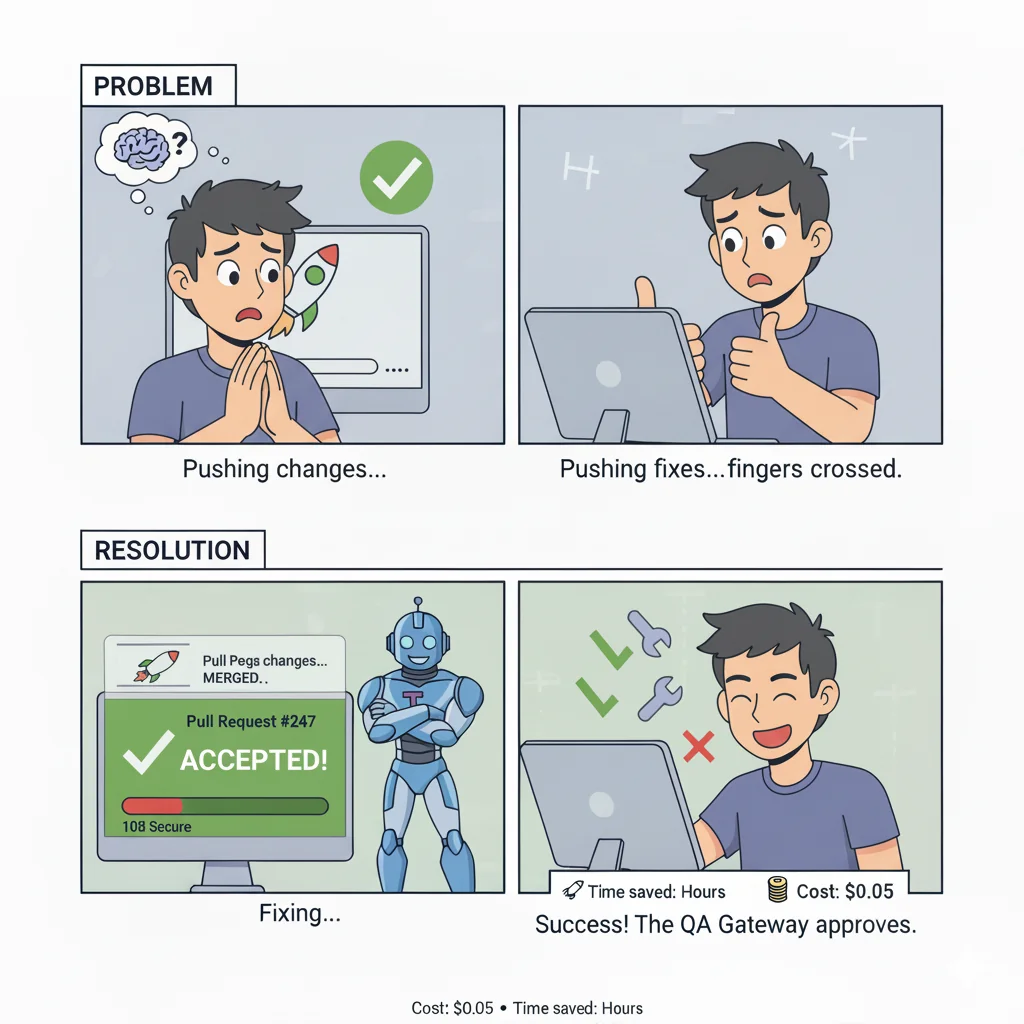
The pipeline runs in two stages:
Fast Classical Analysis (parallel execution)
Traditional static analysis tools run simultaneously:
- Linters catch style violations and obvious bugs
- Security scanners flag dangerous patterns
- Type checkers verify consistency
- Complexity analyzers measure maintainability
These tools are fast, deterministic, and proven. They catch the low-hanging fruit – the SQL concatenation that should be parameterized, the missing null check, the unused import. Nothing fancy, just reliable detection of known bad patterns.
Deep Semantic Analysis (sequential execution)
This is where AI enters the picture. Multiple specialized review aspects examine the code:
- Security Review: Looks beyond pattern matching to understand context. It catches SQL injection vulnerabilities that static tools miss because the user input takes three function calls to reach the query.
- Architecture Review: Evaluates whether the code respects system boundaries, follows established patterns, and maintains consistency with the existing codebase. It’s the reviewer who asks “yes, but should this service talk to the database directly?”
- Code Quality Review: Assesses complexity, duplication, and maintainability. Not just cyclomatic complexity numbers, but “is this code understandable by someone who didn’t write it?”
- Performance Review: Identifies N+1 query patterns, inefficient algorithms, and missing caching opportunities – the subtle performance killers that don’t show up until production.
- Testing Review: Evaluates test coverage, edge case handling, and test quality. Because 100% coverage of happy paths isn’t real coverage.
Each review aspect runs with the context of what came before. The security reviewer knows what the linter found. The architecture reviewer sees both. This sequential context building helps avoid duplicate findings and enables deeper analysis.
Change Intelligence: Context-Aware Analysis
Not all PRs are created equal. Fixing a typo in documentation carries different risk than modifying authentication logic or upgrading database drivers. The system detects this automatically.
When you modify package.json, pyproject.toml, or pom.xml, the system flags it as a DEPENDENCY_CHANGE. When it sees patterns like eval(), weak cryptography, or hardcoded credentials, it tags SECURITY_RISK. Removed exports or breaking change commit messages trigger BREAKING_CHANGE alerts.
These detected change types do something clever: they inject additional context into the AI review prompts. A PR with dependency changes gets extra scrutiny on new vulnerabilities and supply chain risks. Changes with security patterns get deeper authentication and authorization analysis.
The impact score combines file count, change magnitude, and detected risk factors. A PR that modifies authentication code and upgrades three dependencies automatically gets elevated to “high risk” and receives more thorough review. A typo fix in README stays “low risk” and breezes through.
This isn’t about blocking developers – it’s about applying the right level of scrutiny to the right changes automatically.
Configuration: Because You’re Not a Cookie Cutter Company
Here’s where it gets practical. Every organization is different. A fintech startup has different security requirements than a content management system. A three-person team has different review needs than a 300-person engineering org. And your payment processing microservice absolutely should have stricter rules than your internal admin panel.
The configuration system works in three layers:
Default Configuration (built-in)
Sensible baselines that work for most projects. Block on critical security issues, flag high-severity bugs, report everything else as information.
Company Policies (organization-wide)
Your company’s non-negotiables. “All services must use prepared statements for SQL.” “No hardcoded secrets, ever.” “Authentication changes require manual approval.” These apply everywhere, no exceptions.
Project Configuration (repository-specific)
Domain-specific constraints. “All payment operations must be idempotent.” “API responses must complete under 200ms.” “Database migrations require explicit rollback plans.”
Each layer can override the previous. Your company might set minimum test coverage at 70%, but your critical payment service can require 90%. The gateway merges these configurations and enforces them consistently.
And because I’m pragmatic, you can load configurations remotely. Put your company policies in a central repository, point all your projects at it, and update once to change everywhere. Suddenly, you have consistent standards across 50 repositories without copy-pasting YAML files like it’s 2015.
The Immediate Feedback Loop
Speed matters. Not just execution speed – feedback speed.
When a developer gets feedback two hours after pushing code, they’ve already context-switched to another task. They have to rebuild the mental model, remember what they were trying to do, and figure out what the reviewer is talking about. It’s expensive.
When they get feedback quickly while still in context, the code is fresh in their mind. Fixing issues takes seconds, not hours. The learning happens immediately.
The gateway posts two types of feedback:
Summary Comment: High-level overview with statistics, risk level, and detected change types. “Found 2 critical security issues, 5 high-priority bugs, 12 medium concerns. This PR modifies authentication logic and includes dependency changes – elevated risk level.”
Inline Comments: Specific, actionable feedback on individual lines. Not just “this is wrong” but “this SQL query concatenates user input – use parameterized queries instead to prevent injection attacks.” With severity indicators, categories, and which tool/aspect found it.
Critical and high-severity issues can block PR merging automatically. Configure the thresholds however you want: zero tolerance for critical, maximum three high-severity, unlimited medium. It’s your gateway, your rules.
From Detection to Learning
Here’s where it gets interesting. Finding problems is useful. Helping developers understand and fix them is better.
The system provides detailed, actionable feedback that developers can learn from. But the current implementation stops at detection and reporting. I’ve built a separate tool that can download PR comments and issues, which can be fed to AI coding agents for automated correction suggestions – or more importantly, used by human developers to understand patterns in their mistakes.
The demonstration PR in the project itself shows detection in action: Pull Request #4. I ran the review system on its own code. Call it dogfooding, call it meta, call it what you want – if a code quality tool can’t review itself and provide useful feedback, what’s it good for?
The real opportunity here isn’t just catching issues – it’s enabling learning. When developers see consistent feedback about SQL injection risks, missing error handling, or architectural violations, they start to internalize these patterns. They improve their prompts to AI assistants. They adjust their coding habits. Over time, the number and severity of issues decreases naturally.
Whether you close the loop with automated correction tools or rely on human learning, the key is making the feedback immediate, specific, and actionable.
Two Integration Patterns for Different Scales
How you integrate this matters. I’ve identified two patterns:
Local Pattern: Copy the workflow into each repository. Full control, easy to customize, perfect for individual projects or small teams. The tradeoff: when you want to update the pipeline, you update every repository manually.
Reusable Pattern: Create a central review system repository, and all your projects reference it. One source of truth, zero code duplication, consistent standards everywhere. The tradeoff: less flexibility per project, more setup initially.
Small teams typically start with local patterns and migrate to reusable as they grow. Large organizations start with reusable and don’t look back. Both work – choose based on your scale and governance needs.
The actual integration is surprisingly simple:
# .github/workflows/code-review.yml
name: AI Code Review

on:
  pull_request:
    types: [opened, synchronize, reopened]

jobs:
  code-review:
    uses: your-org/ai-review-cicd-actions/.github/workflows/reusable-ai-review.yml@main
    with:
      enable-python-analysis: true
      company-config-url: 'github://your-org/policies/main/code-review.yml'
    secrets:
      ANTHROPIC_API_KEY: $
Three things: turn on the languages you use, point to your company policies, provide an API key. Done. Every PR gets reviewed automatically.
The Practical Reality
Let’s talk numbers because marketing fluff is cheap.
Speed: Typically 1-5 minutes per PR analysis depending on complexity and size. Parallel execution across unlimited PRs. No bottlenecks, no waiting for senior developers to have free time.
Cost: Approximately $0.03-0.05 per PR for the AI analysis portion. For context, that’s less than one minute of developer time at most salary levels. The ROI is almost comically favorable.
Accuracy: Multiple independent verification layers reduce false negatives. AI-powered deduplication reduces false positives (three tools reporting the same issue merge into one finding). Not perfect, but better than relying on humans to catch everything manually.
Scale: Works identically whether you have three repositories or three hundred. The architecture is stateless – each PR review is independent. Add more repositories, and… nothing changes. It just works.
The limitation isn’t the system – it’s the fact that some decisions require human judgment. Is this architectural change aligned with our five-year strategy? Does this UX change improve the user experience? Is this the right abstraction for our domain model?
AI can’t answer those questions. Humans can. The gateway handles the objective criteria – security, patterns, complexity, performance. Humans handle the subjective – strategy, user experience, domain modeling.
This is division of labor, not replacement.
What This Actually Helps With
Remember the three problems from the original article? Systematic security vulnerabilities, accelerated architecture drift, inadequate review processes?
This demonstration project shows a path forward – not a complete solution, but a working example of how to start addressing these challenges systematically.
Security: Multiple layers of automated scanning can catch more vulnerabilities than single-pass manual reviews. Pattern-based tools find known issues. AI reviews find contextual issues. The combination helps, though it’s not bulletproof.
Architecture Drift: Explicit architecture review aspects evaluate whether code respects boundaries and patterns. Project-specific constraints enforce domain rules. It’s a start toward consistency, though it requires ongoing refinement of rules and prompts as you discover edge cases.
Review Quality: Immediate feedback enables learning. Developers see patterns in their mistakes and can adjust. Over time, with proper tuning and iteration, the number of issues can decrease as teams internalize the standards.
This system demonstrates the approach, but it’s just a starting point. You’ll need to customize rules for your domain, tune prompts based on your codebase, and continuously improve as you see what works and what doesn’t. Think of it as a framework that needs your expertise to become truly effective for your specific context.
The real value isn’t in having a perfect detection system – it’s in establishing the infrastructure to continuously improve your code quality gates as you learn what matters most for your projects.
The Honest Limitations
This is a demonstration project showing proven patterns in action. It works – I use it on itself – but it’s not a turnkey enterprise solution.
What it is:
- A working multi-layer review pipeline with practical examples
- MIT licensed reference implementation you can adapt
- A demonstration of how to combine classical tools with AI analysis
What it’s not:
- Production-hardened at massive scale
- A replacement for human judgment on complex decisions
- A silver bullet that eliminates all quality issues
Where you can take it:
- Add result caching for unchanged code
- Implement auto-fix suggestions with GitHub’s suggestion format
- Build cross-language API contract validation
- Create custom validators for your specific domain
I have many more ideas for extensions, but right now this demonstrates the core patterns. Take it, adapt it, extend it for your needs.
Wrapping Up
AI assistance creates speed but also generates new classes of issues faster than manual processes can handle. The answer isn’t to abandon AI tools – it’s to build systematic verification that matches the new velocity.
I assembled existing pieces – classical analysis tools plus AI semantic review – into an automated quality gate that works at PR time. It’s not magic. It’s automation applied to a well-understood problem with proven patterns, extended for the AI era.
Sometimes the best solution isn’t inventing something new. Sometimes it’s putting existing pieces together in a way that actually works, then iterating based on what you learn.
Now go build your own version. You’ll find issues I didn’t anticipate. You’ll discover rules I didn’t think of. That’s exactly the point.
This article describes patterns implemented in ai-review-cicd-actions, an open-source demonstration project. The project uses these review patterns on its own code—see PR #4 for a meta example of the system reviewing itself.
Related reading: The Hard Parts of AI-Assisted Development—the research and analysis that motivated building this system.
